A holistic approach to wireless design, through physics-based simulation.
WirelessAI extends DivergenceAI's automation from antenna design to complete wireless systems. Antennas, propagation channels, matching networks, and multi-user networks are analyzed end-to-end on top of Ansys Electronics Desktop — and driven by AI agents instead of hand-written Python.
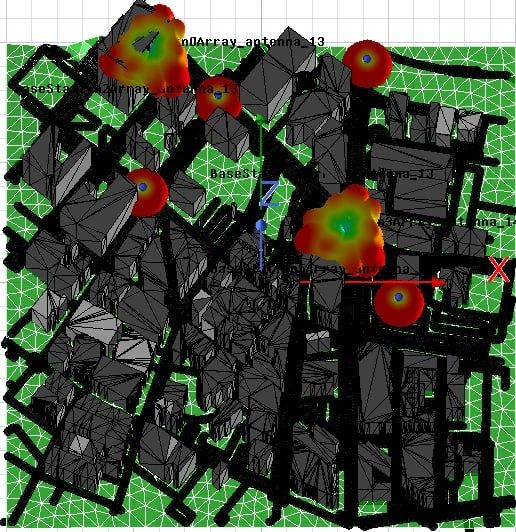 SBR+ ray-traced urban propagation
 Wireless hardware, evaluated inside a complete system
WirelessAI gives DivergenceAI's agents a complete toolkit for physics-based wireless modeling, built on Ansys Electronics Desktop and its native Python API. Antennas designed in HFSS, matching networks and amplifiers in Circuit, and propagation environments captured with SBR+ are tied together through a multiport channel representation — so every hardware component is evaluated inside a complete, end-to-end wireless system.
Instead of writing Python, engineers describe the system they want to study. The agents import the geometry, configure the channels and resource allocation, run the simulation, and return the wireless KPIs that drive design decisions — the same workflows a specialist would run, without the manual setup.
One toolkit, from antenna to network
Every WirelessAI workflow is assembled from the same building blocks — system configuration, channel modeling, post-processing, and SBR+ automation.
System Configuration
- Multiple-access control
- OFDMA frequency-resource allocation
- Uplink / downlink transmission control
- External interference management
- Non-orthogonal access
Channel Models
- Multi-port network models
- Realistic indoor / outdoor channels via Ansys SBR+
- Antenna-to-antenna coupling and field simulation
- Extrinsic (environment) and intrinsic (RF-chain) noise
- Statistical propagation models
- Antenna circuit, matching-network, and amplifier models
Wireless Post-Processing
- KPIs: SINR, capacity, outage and block-error probability
- Receiver architectures: zero-forcing, MRC, LMMSE
- Channel estimation: least-squares and LMMSE
- Large-scale parameters: pathloss, shadowing
- Small-scale parameters: impulse response, power delay profile
- Angular-domain channel extraction
SBR+ Automation
- City import from OpenStreetMap
- HFSS array import via the dynamic link
- Uniform linear / planar arrays with a target gain pattern
- Cellular grids with linked base stations
- Coverage and coupling solution setups
Reference workflows
Each workflow is a complete, physics-based study an agent can set up and run on your geometry. Open one for the full method and results.
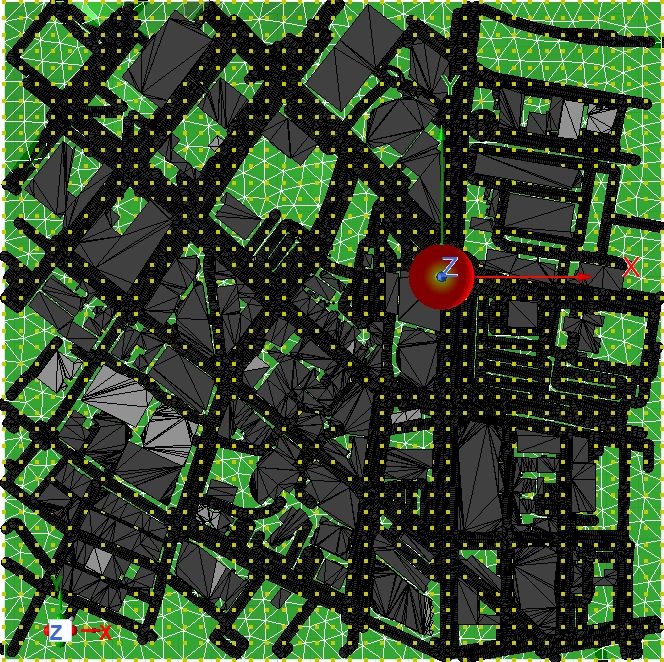
Propagation Modeling
Characterize the radio channel directly from real-world geometry. Large-scale modeling recovers the pathloss exponent and shadowing; small-scale modeling extracts the impulse response and power delay profile; localization resolves angle-of-arrival from a receive array.
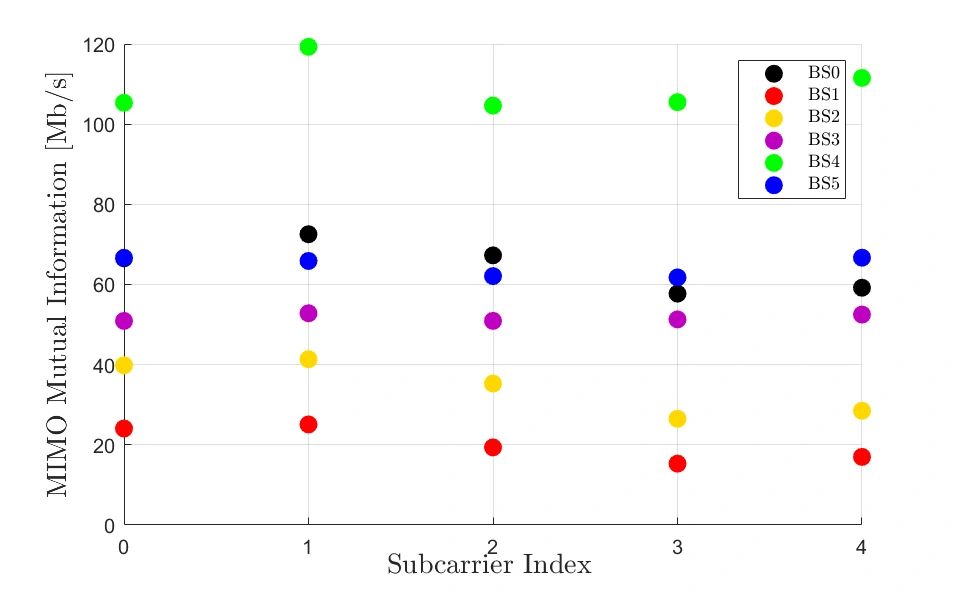
OFDMA
Evaluate a 5G uplink where multiple devices share the band. City geometry, sectored base-station arrays, and user equipment are placed from OpenStreetMap coordinates; subcarriers and powers are assigned per device; MIMO capacity is computed per subcarrier and linear detectors are benchmarked.
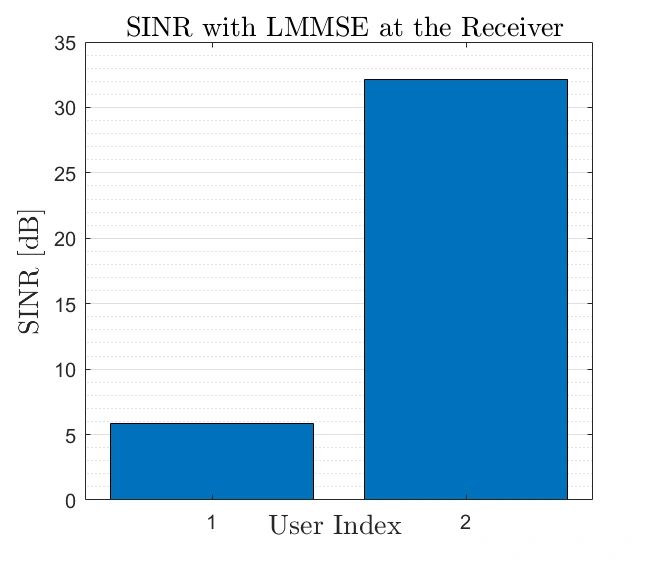
Multi-User MIMO
Test how well a base-station array separates simultaneously transmitting users in space. With non-orthogonal uplink transmission, the channel and noise correlation matrices drive linear detection, and per-user SINR shows when space-division multiple access becomes feasible.
MIMO Propagation Modeling
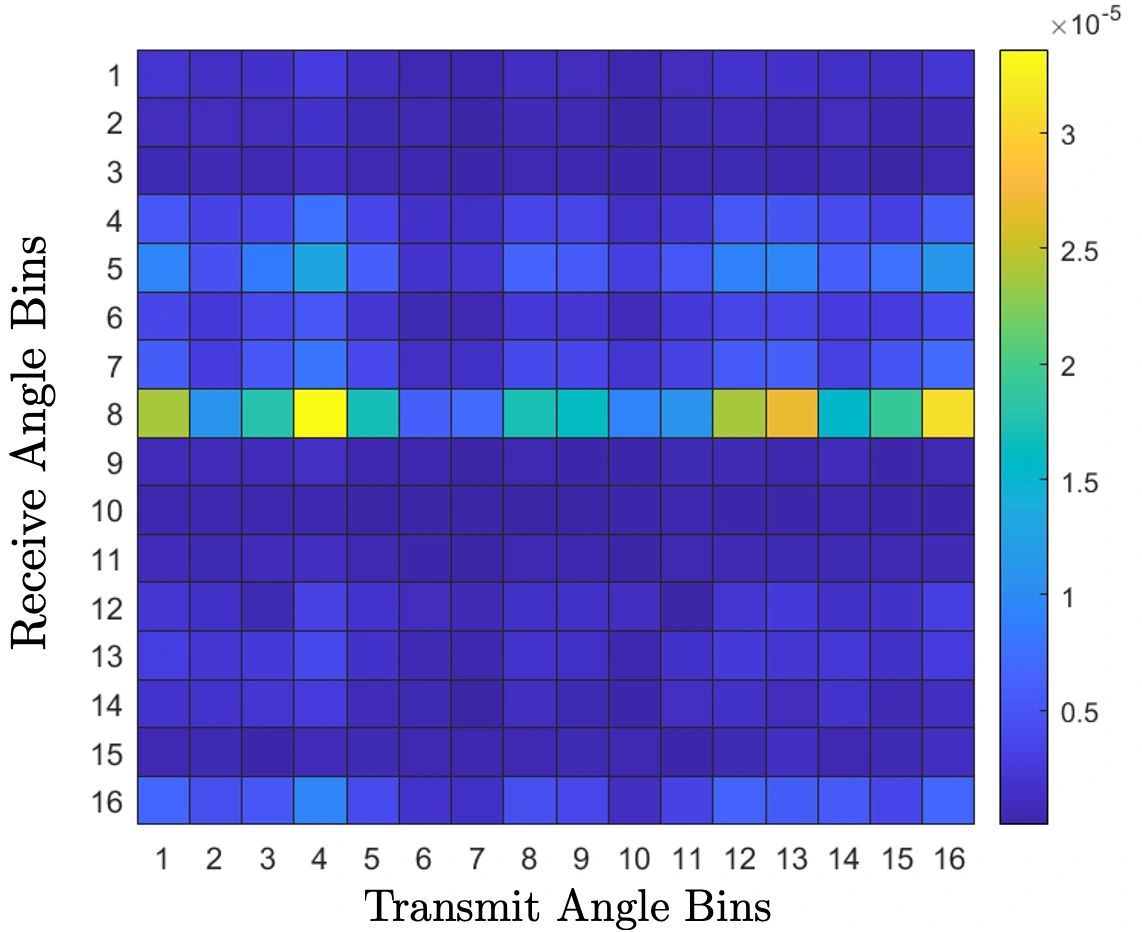
Assess whether an environment can carry multiple data streams. The channel matrix singular values reveal multiplexing capacity, and a 2-D DFT into the angular domain shows where scattering supports diversity versus where it collapses to a single dominant path.
Reliability vs Latency
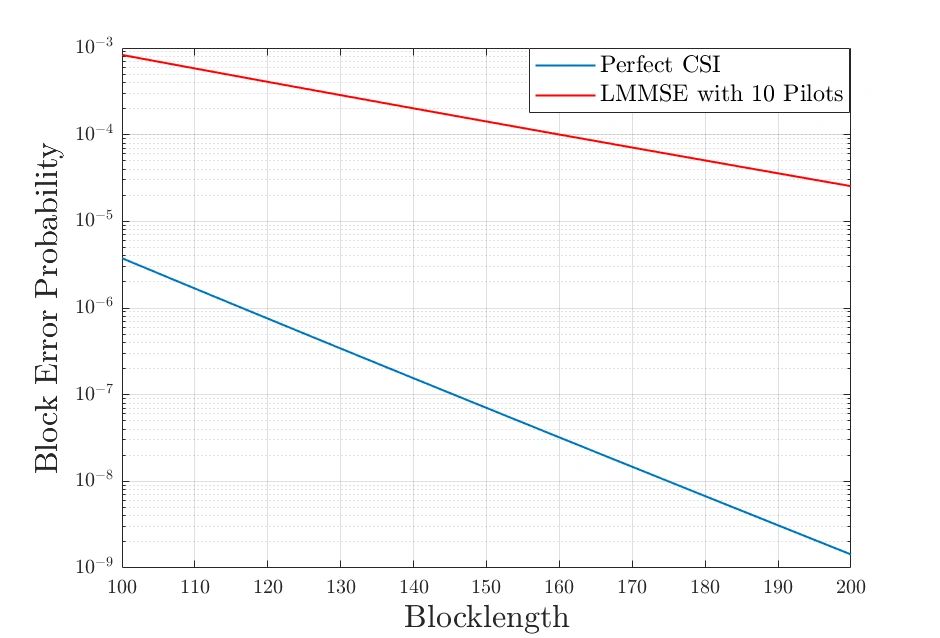
Quantify the trade-off between packet length and error rate. SNR is computed per subcarrier under perfect and pilot-estimated channel state, and the Polyanskiy finite-blocklength bound sets the target packet length for a given block error probability.
Papers and talks
Peer-reviewed analysis and recorded walkthroughs behind the wireless modeling approach.
Papers
Bring AI agents to your wireless workflows
From antenna design to multi-user network analysis — see how WirelessAI automates the setup on top of your existing Ansys Electronics Desktop environment.
Works with your Ansys setup
Physics-based, not statistical shortcuts
No Python required